




|
|||||||||||||||||||||||||||||||||||||||||||||||||||||||||


|
||||||||||||||||||||||||||||||||||
|
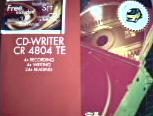
MITSUMI CR 4804TE
Burner features: We burnt several kinds of CDs on several CD types. The time, that passed between the click on the 'Write'-button until the message of the successful process appears, was stopped. We used the attached burningsoftware WinOnCD. It is well-known, that for every data-CD a time can be stated (650 MB are 74 mins). We divide this time through the needed time and get so a measure for the burningspeed.The following table shows all burning processes and their time:
As you can see, the burning speed does not reach the declared 4-fold
speed. At data-CDs the speed lies constant at 3,72 (independent of wirting
or rewriting), only at audio-CDs this speed is lower at 3,55x. The kind
and size of the data is unimportant. After the introduction of the UDF-format it is possible to use a ruffian as a harddisk. The ruffian has only to be formated. There are several programs, that can be used. We used the attached PacketCD software. The format process lasted 32:43 mins. After the formatting you can copy data by drag & drop to the CD-R to use it as a exchangedisk. We copied two data packets, an Directory with many small files (size 77,7 MB) and a file of 64 MB.
You can see, that the copyprocess from HDD to CD-R lasted 3,5x long as
the copy from HDD to HDD. This seems to be a suitable value. The burner has all necessary operation elements. Additional comfort,
as a play/skip-button, is not available. The accessories are very luxurious. All necessary cables are
added. Likewise are trade ruffians added, so the user can burn the first
CD, after a successfull installation. The accessories fulfil all requirements and is very user friendly. It is a great pity, that the burner has no play/skip-button, otherwise it would be nearly perfect (in accessories). Mitsumi delivers an installation manual with the drive. This is busy with the hardware installation into your PC. The unknown user should master the installation with this guide. It is explicit mentioned how the burners has to bejumpered with regard to the position (IDE-Port primary/secondary). The installation into a free 5,25'' box is declared, too. So the hardware installation shall make no problems with this manual. The user manual for the burner is available on the added CD in PDF-format. Here all about Cd-burning is mentioned. All components (Headphone-Jack etc.) are explained. Software installation/deinstallation and the first self-burned CDs, data or audio CDS, 1:1 copy or multisession, are easy to do with this excellent handbook. If you have trouble with the drive, you can also find some help in there. If this does not help, you can call the support-hotline (telphone number is on the datacard!!). As the manual to the CD-ROM from Mitsumi, this is very large and helpfully. There is nearly everything, what you have to know for burning yourself CDs. A little disadvantage is in our opinion to put the user manual on the CD as a PDF-file. Perhaps it would be better to add it as print too. The CR-4804TE from Mitsumi is in the CD-ROM scope a really top drive.
We miss a little bit of burning-speed (there are 8x burner on the market).
The equipment has all most necessary buttons and components. But the
manual is really top. It explains everything! Great work!
|